Findit6 has been finding arbitrary file contents across a wide variety of file formats for more than 30 years. In seconds – without prior indexing. FinditAgent builds on this: AI models research your files using targeted searches and text excerpts – without being allowed to open files or folders themselves.
Classic full-text search
Findit6
Find your files – and the exact passage that matters. Fast, without a search index, and without having to upload or organize a document archive first.
⚡ Fast searching. No index.
Search tens of thousands of files using freely combinable search terms, AND, OR, NOT and NEAR. Even large, constantly changing collections can be searched directly.
Findit6: search interface and results list
📄 Beyond file names
Office documents, including older file formats, PDFs, emails with attachments and compressed archives: Findit6 searches contents, not just file names. In the PRO version, integrated OCR also recognizes and finds text in scanned images inside PDFs and many image formats!
🎯 Inspect matches instantly
The built-in viewer highlights the relevant passages. Results lists can be searched again, saved and exported. You can also work with files much as you would in Explorer. If too many files are found, filter the results using additional terms – with genuinely instant updates.
🔎 Refine searches and use fuzzy matching
Restrict searches by file type, properties, folders and date ranges. Fuzzy search in the PRO version also helps with misspellings and damaged special characters.
⚙️ Built for real-world archives
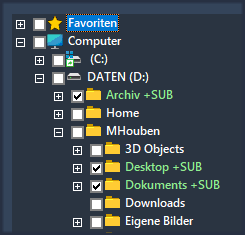
Local drives, network drives and portable use in the PRO version. No index needs to be updated before asking a new question. Innovative multithread management nevertheless lets even an average office computer search many gigabytes per second!
AI-powered research
FinditAgent
Turn a question into a research project: FinditAgent connects AI models to Findit6, develops search strategies, evaluates matches and generates reports based on your existing archive.
🤖 Agent Mode – autonomous research
You describe the task. The agent formulates queries, asks Findit6 to search, examines results and text excerpts, and refines its strategy. Multiple searches can thus lead to a source-based answer .
“Which climate-damaging chemicals used in wind turbines are politically controversial – and why?”
The AI model gets neither unrestricted access to the file system nor the ability to open files itself. Findit6 acts like an archivist: it has the key to the archive and searches for the relevant texts. The AI stays outside and receives only copies of the relevant text excerpts.
Important: When external AI providers are used, the supplied excerpts are transmitted to their service. With local models, the processing can remain entirely local.
📚 Existing archives instead of a prepared knowledge base
No need to drag documents into a new collection or set up a vector database: FinditAgent works with the existing folder and file collections that Findit6 can already search.
Your question›Findit6 search›Matches›AI analysis›Report
📝 Reports with verifiable sources
For each relevant fact, the AI agent also provides the name of the original source file. FinditAgent presents the report so you can open any document with a single click and check the agent’s findings. Every step that led to the result is documented in detail.
🧩 Choose a model: cloud or local
Choose from supported external providers – Claude, GPT, Gemini, Perplexity and Grok – or locally running models. Capabilities, speed and any API costs depend on the model and the research task.
We have recorded real research questions in a real archive as examples, with the full research process captured. The videos show the search steps and the results.